animation guide

This template uses a custom-built animation system designed for smooth, responsive, and performant motion directly inside Webflow’s native interactions.

Slider Banner Animations

How it works

The banner animation is built using Webflow Slider and Interactions. Each slide contains an image that animates as the slide becomes active. The animation triggers when the slide loads and resets when the slide changes. The effects include adjustments to opacity, rotation, and blur to create dynamic transitions that visually enhance the hero section.
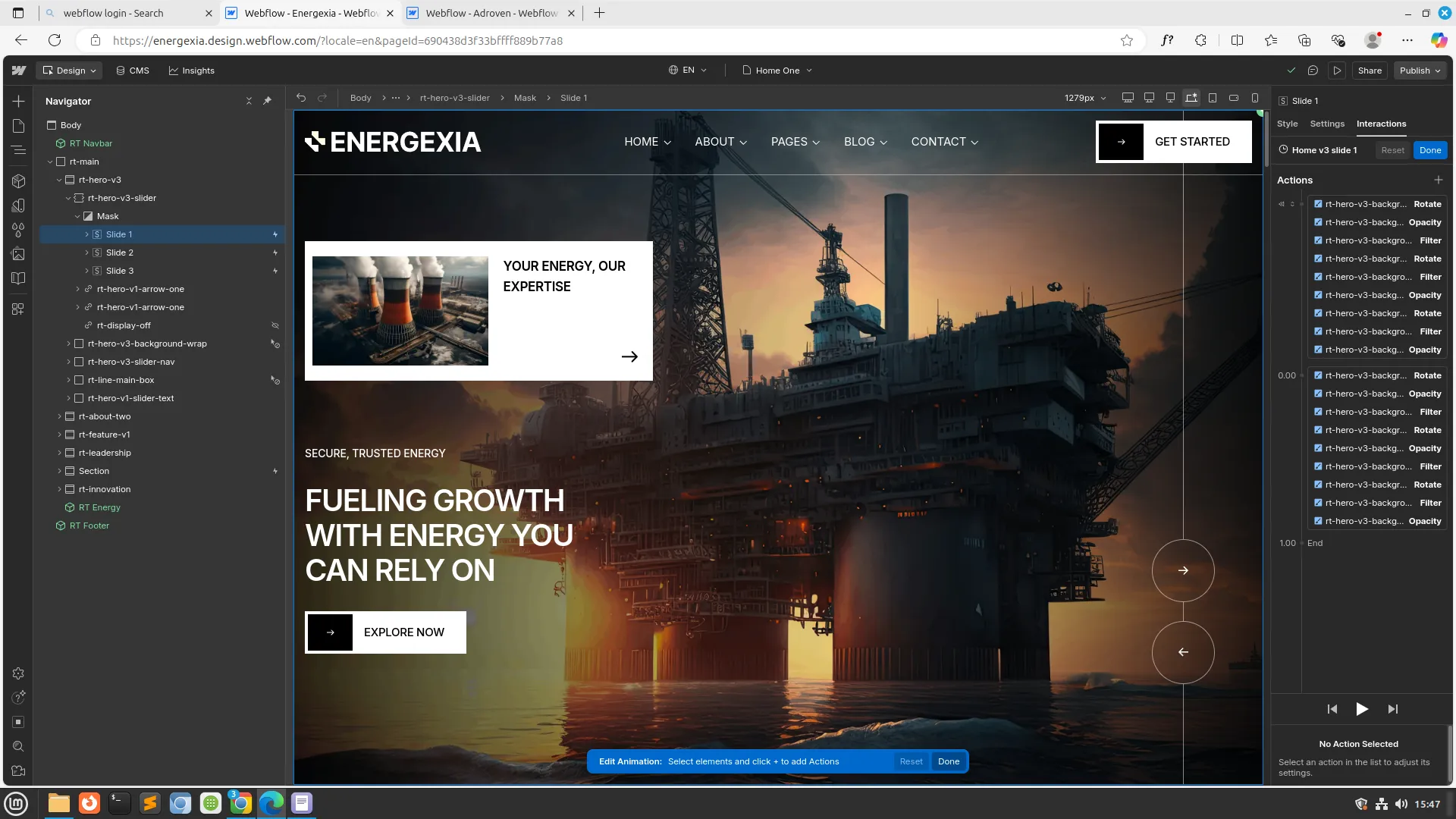

Customization options
  • Select the slide you want to animate in the Slider component.
  • Apply a Page TriggerWhen Slide Changes animation or a SlideElement Trigger animation.
  • Modify animation effects per slide to match the design style.
Animation properties you can customize:
  • Opacity — Fade in from 0% to 100% for smooth appearance.
  • Blur — Reduce blur from 20px (or desired level) to 0px for a sharp final state.
  • Rotation — Rotate the image slightly (e.g., −10° to 0°) for subtle motion.
  • Optional: Add scale, duration, and easing for more stylistic movement.
  • Apply stagger or delay if text overlays are included.
Features
  • Works with the default Webflow Slider element.
  • Combines multiple effects:
    Opacity, Blur (Filter), Rotation (Transform).
  • Individual animation control per slide for unique motion per banner.
  • Smooth transition between slides without additional code.
  • Fully customizable timing, easing, and interaction triggers.
  • Supports lightweight performance — no external libraries needed.